
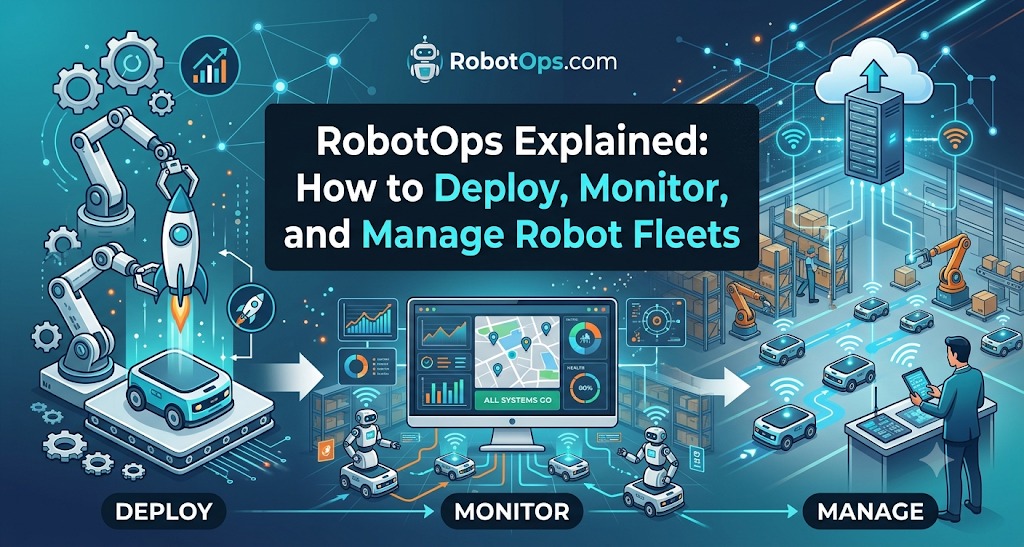
Introduction
Building a robot in a laboratory is hard. Running one hundred robots inside an active warehouse or factory is even harder.
In a lab, engineers can attach debugging cables, reset power supplies by hand, and monitor code in real time. In the real world, robots drop off Wi-Fi networks, run low on battery, hit unexpected obstacles, and wear out mechanical joints.
This operational reality created RobotOps, short for Robotics Operations.
RobotOps applies software engineering, DevOps, automation, and observability practices to physical robotic systems. It provides the tools and processes needed to monitor, update, and coordinate fleets of machines across their entire operational lifecycle.
This guide covers what RobotOps is, how it works, and how engineering teams use it to manage reliable robot fleets.
What Is RobotOps?
RobotOps is the practice of managing robotic software and hardware throughout its active operational life.
Traditional robotics engineering focuses heavily on mechanical design, electrical integration, and control algorithms. These steps get a robot to work once. RobotOps focuses on what happens next: running that machine reliably for months or years in an unpredictable environment.
The Gap Between Lab Robots and Production
A prototype robot usually operates under ideal conditions:
- The floor is flat and clean.
- The lighting remains stable.
- High-speed local networks stay connected.
- A human engineer stands nearby with an emergency stop button.
Production environments are rarely so clean. In a factory or warehouse, floors get slick or uneven. Metal shelving interferes with wireless signals. Dust covers optical sensors. Workers move unpredictably around automated zones.
When software bugs occur in production, an engineer cannot easily plug in a laptop. The team needs remote visibility and automated recovery tools. RobotOps bridges this gap.
+-------------------------------------------------------------+
|                      The RobotOps Loop                      |
|                                                             |
|   +-------------+      +------------+      +------------+   |
|   |   Develop   | ---> |  Simulate  | ---> |   Deploy   |   |
|   +-------------+      +------------+      +------------+   |
|          ^                                       |          |
|          |                                       v          |
|   +-------------+      +------------+      +------------+   |
|   |   Repair    | <--- |   Detect   | <--- |  Monitor   |   |
|   +-------------+      +------------+      +------------+   |
+-------------------------------------------------------------+
Core Definition of Robotics Operations
Robotics operations covers three main jobs:
- Deployment: Delivering verified code, configurations, and machine learning models to robots in the field.
- Observability: Collecting health metrics, logs, and telemetry to understand current robot states.
- Intervention: Resolving failures quickly through remote commands, route adjustments, or safe human escalation.
RobotOps treats a robot not as a standalone machine but as an intelligent, physical edge device connected to a centralized operational network.
Why Traditional DevOps Is Not Enough for Robots
Software teams rely on DevOps to deploy web applications and cloud services. DevOps uses automated testing, continuous integration, continuous delivery (CI/CD), and centralized logging.
These concepts are useful, but web servers do not move through physical space. Robots do. Because of this, standard DevOps methods break down when applied directly to robotics.
1. The Physical World Creates New Constraints
If a web server crashes, an orchestration tool spins up a replacement container in seconds. No physical damage occurs.
If an Autonomous Mobile Robot (AMR) experiences a software crash while carrying a 500-kilogram payload, it stops suddenly. Its momentum can shift the load. It can block an aisle, stop factory traffic, or present a safety risk to nearby workers.
Robots operate under physical laws. Software bugs have direct physical consequences.
2. Edge Computing and Unreliable Networks
Cloud servers enjoy high-bandwidth, low-latency network connections. Robots rely on local wireless networks such as Wi-Fi, 4G, or 5G.
In industrial facilities, robots often drive into dead zones, such as deep cold-storage areas or corners shielded by steel racks. A robot must run its navigation, safety checks, and control loops locally on its edge computer. It cannot depend on the cloud to stop safely.
Monitoring tools must handle intermittent data transfers without dropping critical error logs.
3. Safety and Hardware Wear
Code does not wear out, but motors, gearboxes, bearings, and wheels do.
A robot that acts sluggishly might have a software regression, or it might have a worn motor bearing drawing excess current. Robotics operations must track software metrics alongside physical hardware health.
Core Pillars of a Robotics Operations Platform
A production RobotOps setup relies on four primary operational pillars.
+---------------------------------------------------------------+
|                 Robotics Operations Platform                  |
+-------------------------------+-------------------------------+
|  Telemetry & Observability    |  Remote Updates (OTA)         |
|  - Sensor streams             |  - Canary deployments         |
|  - Battery & motor metrics    |  - Automatic rollbacks        |
|  - Localization error states  |  - Configuration sync         |
+-------------------------------+-------------------------------+
|  Fleet Management             |  Incident Management          |
|  - Traffic orchestration      |  - Anomaly alerts             |
|  - Task allocation            |  - Human teleoperation        |
|  - Charger scheduling         |  - Post-incident diagnostics  |
+-------------------------------+-------------------------------+
1. Fleet Telemetry and Observability
Telemetry is the stream of status data sent by a robot to a central server. Effective observability requires tracking three distinct layers:
- Hardware Metrics: Battery state of charge, motor temperatures, wheel encoder counts, bus voltages, and compute temperatures.
- System Metrics: CPU load, RAM usage, storage space, disk write rates, and network signal strength.
- Autonomy Metrics: Localization confidence scores, path-planning delays, obstacle detection counts, and emergency stop events.
Teams do not stream high-bandwidth camera feeds or raw point clouds continuously. That would overwhelm wireless networks. Instead, they stream compressed numerical metrics, sending rich diagnostic data only when an error happens.
2. Remote Configuration and Software Updates
Robots need regular software updates to patch security vulnerabilities, improve navigation algorithms, and update task parameters.
In RobotOps, engineers use Over-the-Air (OTA) update systems tailored for physical hardware. A safe update framework requires:
- A/B System Partitions: The robot writes the new software image to a secondary partition. If the new image fails boot-up health checks, the machine rolls back to the working partition automatically.
- Phased Rollouts: The team updates a single robot first. If that machine performs its tasks safely for several shifts, the update rolls out to 10%, then 50%, and finally 100% of the fleet.
- Safety Interlocks: A robot must never apply an update while moving or carrying a payload. Updates must only install when the machine is parked at a charging station in a safe state.
3. Centralized Fleet Coordination
Robot Fleet Management coordinates multiple machines working in the same physical facility. The fleet management layer handles:
- Task Dispatch: Matching high-priority jobs to the nearest available robot with enough battery charge.
- Traffic Control: Preventing deadlocks at intersections, narrow warehouse aisles, and charging hubs.
- Map Synchronization: Distributing updated floor maps to all machines when a shelf or wall changes location.
4. Incident Management and Safety Protocols
When a robot encounters a problem it cannot resolve, the RobotOps system initiates an incident workflow:
[Fault Detected]
       │
       ▼
[Robot Enters Safe State]
       │
       ▼
[Alert Sent to Operations Center]
       │
       ▼
[Operator Diagnoses via Telemetry]
       │
       ├─► [Remote Clearance / Recovery]
       │
       └─► [On-Site Physical Inspection]
This structured response keeps minor sensor blunders from shutting down an entire production line.
Robotics Software Architecture and Middleware
Modern robotics operations depend heavily on the underlying software stack.
The Role of ROS 2 in Production
The Robot Operating System (ROS) has long been the standard framework for academic research. However, original ROS was not built for production fleets. It had a single point of failure (the ROS Master) and lacked native security.
Today, teams build commercial systems on ROS 2. ROS 2 uses the Data Distribution Service (DDS) communication standard. This gives it several operational advantages:
- Distributed Discovery: Nodes discover each other on the local network without a centralized master node.
- Quality of Service (QoS): Engineers can configure network behavior for individual data streams. Critical sensor data can use reliable delivery, while high-frequency camera frames can use best-effort delivery to conserve bandwidth.
- Security (SROS 2): ROS 2 supports native encryption, authentication, and access control for robot topics and services.
+--------------------------------------------------------------+
|                     Typical Edge Stack                       |
+--------------------------------------------------------------+
|  Application Layer (Fleet Client, Mission Logic)             |
+--------------------------------------------------------------+
|  Robotics Middleware (ROS 2 Nodes, Nav2, MoveIt)             |
+--------------------------------------------------------------+
|  DDS Communication Layer (Fast DDS / Cyclone DDS)            |
+--------------------------------------------------------------+
|  Container Runtime (Docker / Podman)                         |
+--------------------------------------------------------------+
|  Base Operating System (Ubuntu Linux / Real-Time Kernel)     |
+--------------------------------------------------------------+
|  Hardware (Compute Board, Motor Controllers, LiDAR, Cameras) |
+--------------------------------------------------------------+
Containerization at the Edge
Modern RobotOps relies on container runtimes like Docker or Podman. Containers package robotics software alongside its specific library dependencies.
This prevents system conflicts on the robot’s local computer. It allows operations teams to deploy navigation stacks, perception modules, and telemetry agents as independent, restartable services.
Sim-to-Real Workflows: Robot Simulation
Testing software directly on physical robots is slow, expensive, and potentially dangerous. Robot simulation is an essential step in the RobotOps lifecycle.
Before any code deployment to a live robot:
- Virtual Environments: Simulation engines model the robot’s kinematics, mass, motor response, and sensor inputs in a virtual 3D environment.
- Automated Testing: CI/CD pipelines run thousands of virtual navigation tests. They test how the robot handles edge cases, such as an obstacle appearing suddenly around a blind corner.
- Verification: If the software passes its virtual obstacle-avoidance and battery-depletion tests, the pipeline approves the release candidate for physical testing.
Simulation does not replace physical testing entirely. Virtual physics cannot capture every subtle surface friction change or lighting variation. However, simulation catches obvious software regressions before code touches real hardware.
Comparing RobotOps with Cloud DevOps
To understand how operational roles differ, consider how key engineering tasks compare across platforms:
| Operational Function | Traditional Cloud DevOps | RobotOps (Robotics Operations) |
| Primary Environment | Homogeneous cloud data centers | Unpredictable, dynamic physical spaces |
| Deployment Target | Virtual machines or cloud containers | Edge computers mounted on mobile machines |
| Connectivity | Stable, redundant, gigabit fiber | Intermittent wireless (Wi-Fi, 4G, 5G) |
| Hardware Health | Handled transparently by cloud provider | Critical: motors, sensors, batteries wear out |
| Failure Consequence | Error 500 in browser, dropped user session | Physical collision, payload drop, line stoppage |
| Testing Regimen | Unit tests, synthetic integration tests | Unit tests, 3D physics simulation, field runs |
| Emergency Action | Kill container and restart | Graceful controlled stop, hardware brake engage |
Autonomous Mobile Robots vs. Industrial Robotics Operations
Operations practices vary depending on the type of robot deployed.
       AUTONOMOUS MOBILE ROBOTS (AMRs)            FIXED INDUSTRIAL ROBOTIC ARMS
   +------------------------------------+      +------------------------------------+
   |  • Free-moving across facilities   |      |  • Anchored inside safety cells    |
   |  • Variable Wi-Fi & blind spots    |      |  • Hardwired industrial Ethernet   |
   |  • Dynamic obstacle avoidance      |      |  • Deterministic, high-speed paths |
   |  • Battery charging logistics      |      |  • Continuous grid power supply    |
   |  • Focus: Localization & Traffic   |      |  • Focus: Cycle times & Joint wear |
   +------------------------------------+      +------------------------------------+
Managing AMRs in Dynamic Warehouses
Autonomous Mobile Robots move freely across large facilities. They carry materials, assist order pickers, or clean floors.
Their operations focus heavily on:
- Localization Health: Monitoring whether the robot knows its position on the global map. If reflective tape falls off a wall or pallets block landmarks, the robot’s confidence drops. The fleet system must detect this before the AMR gets lost.
- Traffic Balancing: Ensuring fifty robots do not attempt to use the same narrow corridor simultaneously.
- Charge Management: Routing robots to automated charging pads before their batteries reach critically low levels.
Industrial Robotics in Manufacturing Cells
Industrial robots—such as six-axis robotic arms—are bolted to factory floors inside defined safety cells.
Their operational profiles differ from mobile robots:
- Fixed Connectivity: Industrial arms usually connect directly to factory networks via industrial Ethernet. Bandwidth and latency are stable.
- Cycle Time Tracking: Operations teams track cycle times down to milliseconds. A delay in an arm’s picking routine can slow an entire automotive assembly line.
- Predictive Mechanical Maintenance: Teams monitor torque curves and vibration sensors on each joint axis. A slight rise in torque often signals that a gearbox requires grease or replacement before it freezes up.
Inside a Robotics Operations Center
A Robotics Operations Center (ROC) is a centralized team and software platform that oversees live robot fleets.
+-----------------------------------------------------------------+
|                   Robotics Operations Center                    |
|                                                                 |
|   [ Fleet Map View ]    [ Live Health Alerts ]   [ Video Feeds] |
|   - 48 Active           - Robot 12: Low Battery  - AMR #04 Path |
|   - 2 Idle              - Robot 07: Path Blocked                |
|   - 1 Maintenance                                               |
|                                                                 |
|   [ Teleoperation Console ]  <--- Available for Human Takeover  |
+-----------------------------------------------------------------+
Teleoperation and Human-in-the-Loop
Full autonomy is an ideal, not an everyday reality. Robots encounter edge cases they cannot solve on their own. For example, an AMR might find its path blocked by a torn piece of plastic wrap that looks like a solid wall to its planar LiDAR sensor.
Rather than letting the robot remain stuck indefinitely, a modern ROC uses a human-in-the-loop model:
- The robot tries to clear its costmap and re-plan its path three times.
- If it remains stuck, it flags an operator in the ROC.
- The operator views the robot’s low-latency camera stream.
- The operator either marks the obstacle as clear on the map or uses a teleoperation interface to manually drive the machine around the obstruction.
- The robot resumes autonomous navigation.
This approach keeps warehouse operations moving without requiring engineers on the floor for every minor issue.
Daily Robot Health Metrics to Track
A reliable operations dashboard should track several key indicators:
- Mean Time Between Assists (MTBA): How many hours a robot runs before needing human intervention.
- Mission Success Rate: The percentage of assigned pick, place, or transport tasks finished without an error.
- Fleet Availability: The proportion of the fleet ready to run tasks versus machines charging or undergoing maintenance.
- Network Latency and Packet Loss: Early indicators of wireless coverage problems inside a plant.
Common Operational Pitfalls and How to Avoid Them
Teams moving from prototype development to production operations often make predictable mistakes.
1. Network Bandwidth Saturation
Engineers often start by streaming full camera feeds and raw sensor logs to the cloud. When twenty robots operate on the same factory Wi-Fi access point, the wireless network collapses.
- Solution: Process sensor data locally on the robot. Send only scalar metrics (temperatures, speeds, error codes) to the central dashboard. Store heavy diagnostic logs on a local disk ring buffer. Upload full logs only over a wired connection at the charging dock, or when an error triggers an alert.
2. Uncontrolled Software Drift
Updating robots manually by logging in over SSH creates configuration drift. Within six months, every robot in the fleet runs slightly different software packages, driver versions, or configuration flags. Debugging becomes impossible.
- Solution: Treat robot software as immutable infrastructure. Package code into versioned system images or containers. Use automated configuration tools so every robot pulls identical, signed configuration profiles.
3. Ignoring Environmental Drift
A navigation map created in an empty warehouse during commissioning will fail when the facility fills with inventory. Stacks of cardboard change acoustic and optical reflections. Seasonal sunlight blinds optical cameras at certain hours.
- Solution: Build continuous map maintenance into the operational workflow. Modern fleet software allows robots to suggest map adjustments when they spot permanent physical changes in their operating space.
Getting Started with RobotOps
Adopting robotics operations does not require buying an expensive platform on day one. Teams can introduce practices gradually:
[Phase 1: Basic Observability]
- Add health telemetry logging to your ROS 2 nodes.
- Monitor CPU, battery, and localization status.
               │
               ▼
[Phase 2: Standardized Containers]
- Package robot nodes into lightweight containers.
- Stop modifying running code directly over SSH.
               │
               ▼
[Phase 3: Automated Testing & Simulation]
- Build CI/CD pipelines that test pull requests in simulation.
- Validate navigation behavior before code merges.
               │
               ▼
[Phase 4: Structured Deployment & Fleet Management]
- Implement phased Over-the-Air updates with rollback guards.
- Deploy central fleet coordination tools for traffic and tasks.
By introducing operations practices early, engineering teams build systems that scale safely from a single prototype to hundreds of commercial machines.
FAQ Section
What does RobotOps stand for?
RobotOps stands for Robotics Operations. It is the practice of applying modern software engineering, DevOps, observability, and lifecycle management techniques to physical robotic systems and fleets.
How does RobotOps differ from DevOps?
DevOps manages software running on uniform, stationary cloud servers with reliable internet. RobotOps manages software running on mobile physical machines that operate on dynamic edge networks, experience mechanical wear, and interact directly with human beings and physical obstacles.
Is ROS 2 required to implement RobotOps?
No, ROS 2 is not strictly required. However, ROS 2 is the most widely adopted open-source robotics middleware. Its decentralized architecture, Quality of Service (QoS) controls, and built-in security features make it an ideal foundation for production RobotOps workflows.
Can every robot receive over-the-air (OTA) updates?
No. Over-the-air updates require supported hardware architecture, such as dual-partition flash storage and a stable edge operating system. Furthermore, updates must use safety interlocks so that a robot never applies new code while moving or performing an active task.
What is the role of simulation in RobotOps?
Simulation acts as the virtual testing phase of the continuous integration pipeline. It runs automated navigation and safety tests against new software releases in realistic 3D virtual worlds before code is deployed to physical machines.
What is a Robotics Operations Center?
A Robotics Operations Center (ROC) is a centralized team and software platform that monitors real-time telemetry, handles automated failure alerts, schedules tasks, and provides remote teleoperation assistance to stuck robots in the field.
What is the difference between an AMR and an AGV in operations?
An Automated Guided Vehicle (AGV) follows fixed physical tracks, such as magnetic tape or floor wires. An Autonomous Mobile Robot (AMR) uses onboard sensors, maps, and algorithms to navigate dynamically around obstacles. AMRs require more advanced fleet management and localization monitoring.
How do teams monitor robot health without overloading wireless networks?
Teams process sensor feeds on the robot’s edge computer. They stream only small, compressed numerical metrics to central servers. Heavy debug logs and video are saved locally and uploaded only when an error occurs or when the robot docks at a wired charging station.
Summary of Core Concepts
RobotsOps.com provides the bridge between experimental robotics and industrial operations. By combining ROS 2 architecture, containerized software, automated simulation, edge telemetry, and centralized fleet coordination, teams can run reliable robotics fleets in unpredictable, physical environments.

