
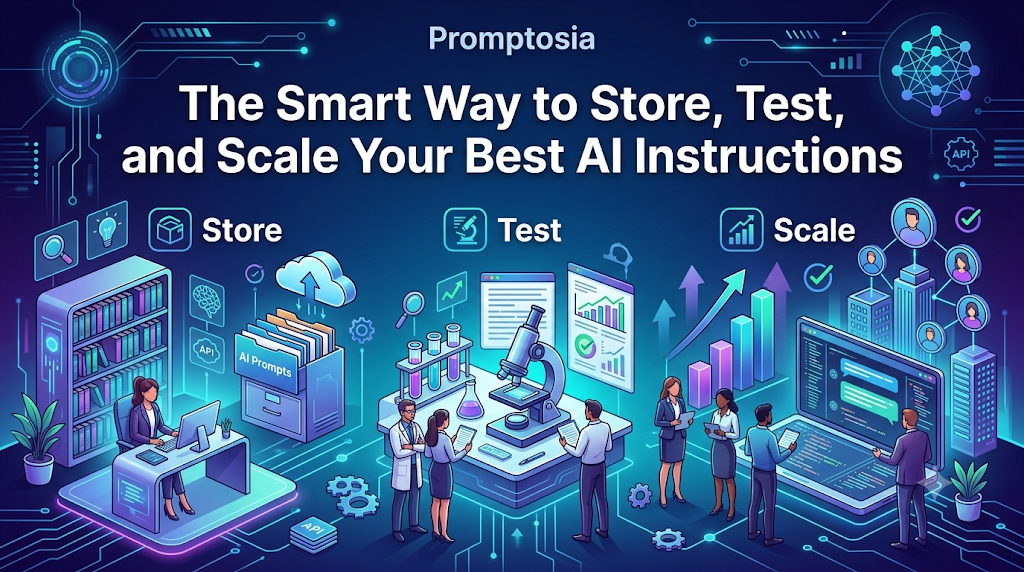
Introduction: Understanding Promptosia and AI Prompt Management
Have you ever written a fantastic prompt for an AI tool, received the perfect response, and then completely lost track of it a few days later? As artificial intelligence becomes an everyday part of how we work, write, code, and research, many of us face the same frustrating problem: our best AI instructions get swallowed up in long chat histories, scattered across messy digital sticky notes, or buried in endless document files.
That is exactly why Promptosia was created.
Promptosia is a modern AI prompt management tool designed to give your instructions a permanent, well-organized home. Built for creators, developers, marketers, students, and teams, it transforms scattered ideas into structured, reusable digital assets. Instead of starting from scratch every single time you open an AI workspace, the platform helps you save, refine, test, and share your most effective prompts in one centralized space.
Whether you are trying to streamline your weekly content creation, standardize technical coding workflows, or keep track of complex research queries, organized prompt management keeps your work clean, efficient, and consistent.
What Is an AI Prompt Management Tool?
An AI prompt is simply the set of instructions, questions, or context you feed into an artificial intelligence model to get a specific response. When you first start using AI, typing a quick sentence works fine. But as your tasks become more complex, your prompts turn into detailed instructions—often complete with background context, tone guidelines, output rules, and specific examples.
Because power users end up writing dozens or even hundreds of these instructions, managing them quickly becomes chaotic. An AI prompt management tool acts as a centralized workspace specifically designed to store, manage, and refine these text instructions. Rather than treating prompts as throwaway sentences, a proper tool lets you save your winning formulas so you can run them repeatedly with consistent success.
Why Building an AI Prompt Library Is Important
Imagine a software engineer saving code snippets in an unorganized text document, or a designer storing reference files with random filenames on their desktop. It slows everything down. The same thing happens when you treat your AI instructions as temporary chats.
When you take the time to build a structured AI prompt library, you gain several key advantages:
- No More Repeated Work: You never have to spend 15 minutes rewriting an instruction you already perfected last week.
- Instant Accessibility: Your top-performing instructions are indexed and ready to use in seconds.
- Consistent Output Quality: Using the exact same refined prompt guarantees that your AI responses maintain a steady standard of quality over time.
- Higher Productivity: You transition from constantly thinking about how to ask the AI to simply picking a proven formula and getting work done.
How Promptosia Works as a Prompt Engineering Platform
Prompt engineering is not just about writing a sentence; it is the iterative process of drafting, testing, tweaking, and finalizing instructions so an AI gives you the best possible result.
As a complete prompt engineering platform, Promptosia supports your instructions across their entire lifecycle:
[ Create ] ➔ [ Optimize & Analyze ] ➔ [ Quality Check & Test ] ➔ [ Version & Share ]
By supporting every phase of this workflow, the platform ensures you aren’t just saving text—you are actively refining your instructions to get sharper, more accurate AI responses.
Organizing Prompts With AI Prompt Organizer
When your collection grows past twenty or thirty prompts, finding the right one can feel like searching for a needle in a haystack.
Using an integrated AI prompt organizer, you can categorize your instructions into neat folders based on projects, clients, or tasks. You can assign custom tags (like #copywriting, #python, or #summarization) and use search parameters to locate any instruction in seconds.
Additionally, you can insert custom variables—such as [Insert Product Name] or [Target Audience]—making your saved instructions flexible and adaptable for future tasks without ruining the core structure.
Improving Instructions With AI Prompt Optimizer
A basic prompt like “Write an email about a new feature” usually produces a generic, boring response. A strong prompt needs role definition, clear goals, context, constraints, and tone directives.
An AI prompt optimizer helps you elevate basic ideas into comprehensive, high-performing instructions. It evaluates weak or vague phrases and suggests additions that guide the AI toward precise outputs. This eliminates the guesswork, helping you generate clear instructions that produce consistent results on the first attempt.
Understanding Prompts With AI Prompt Analyzer
Before running a long, complex prompt, it helps to understand how well-constructed it actually is.
An AI prompt analyzer breaks down your text to check for essential structural components:
- Role Definition: Is it clear who the AI is pretending to be?
- Goal Clarity: Does the AI know exactly what task it needs to complete?
- Context & Constraints: Are there clear boundary rules (e.g., word counts, formatting preferences, forbidden words)?
- Variables: Are dynamic placeholders clearly identified?
Analyzing these elements highlights hidden gaps or conflicting instructions before you send the prompt to an AI model.
Checking Prompt Quality Before Use
Quality control matters—especially when you are building instructions for client work or team-wide processes.
A dedicated prompt quality checker scores your prompt’s clarity, structure, and safety parameters. It verifies that your instructions are unambiguous, impossible for the AI to misinterpret, and structured to prevent hallucinated or off-topic outputs. Evaluating your prompts beforehand ensures you waste less time re-running broken queries.
Managing Prompt Improvements With Version Control
Prompts evolve. You might tweak a sentence today to make the tone warmer, only to realize next week that your previous version yielded better formatting.
Without a prompt version control tool, tracking these subtle adjustments is nearly impossible. Version control keeps a detailed log of every change you make over time. You can compare different iterations side-by-side, understand what modified the AI’s behavior, and revert back to an earlier version with a single click if a new edit doesn’t work out.
Testing Different Prompt Results
Two prompts that look almost identical on paper can produce drastically different AI outputs.
Using an AI prompt testing tool, you can run different versions of an instruction against the same input data to evaluate the results side-by-side. Testing helps you spot subtle differences in tone, formatting adherence, and detail level, ensuring you pick the absolute best option for your regular workflow.
Reusing Successful Prompts With Templates
Once an instruction consistently delivers great results, it should become a permanent asset.
Creating reusable AI prompt templates allows you to turn successful formulas into standardized fill-in-the-blank cards. Whether you need a standard weekly status report, a social media caption generator, or a code review checklist, templates keep your daily operations running smoothly without duplicate effort.
Promptosia Features Comparison Table
| Feature | What It Does | Benefit |
|---|---|---|
| AI Prompt Library | Stores useful prompts in one central place | Easy access and fast reuse |
| Prompt Organizer | Categorizes prompts with tags, folders, and variables | Eliminates digital clutter |
| Prompt Optimizer | Refines simple drafts into structured instructions | Higher quality AI responses |
| Prompt Analyzer | Reviews prompt structure and clarity | Identifies missing parameters |
| Quality Checker | Evaluates overall effectiveness and safety | Prevents ambiguous AI outputs |
| Version Control | Saves full edit history and allows rollbacks | Protects winning prompt variations |
| Prompt Testing | Compares outputs from different prompt versions | Helps select the best formula |
| Templates | Converts top prompts into fill-in-the-blank tools | Speeds up daily workflows |
Who Can Use Promptosia?
Content Creators
Writers, bloggers, and social media managers can store prompts for article outlines, catchy headlines, newsletter intros, and video scripts. Having pre-tested tone guidelines ready keeps brand messaging consistent across every piece of content.
Developers
Programmers can save instructions for debugging code snippets, translating logic between languages, writing unit tests, and generating documentation. Standardized technical prompts reduce syntax errors and speed up development.
Marketers
Marketing professionals can organize prompt templates for ad copy, email drip campaigns, SEO meta descriptions, and audience persona generation. Campaigns move faster when key messaging frameworks are pre-built.
Businesses and Teams
Teams can share verified prompt libraries so everyone works from the exact same standards. Onboarding new team members becomes effortless when effective AI instructions are already documented and shared.
Students and Researchers
Academics can manage detailed prompts for summarizing dense literature, proofreading drafts, generating study questions, and structuring research notes clearly without cluttering their main workspace.
Benefits of Using Promptosia
- Saves Significant Time: Eliminates the need to rewrite or search for past instructions.
- Keeps Workspaces Organized: Replaces scattered text files with a structured index.
- Improves AI Output Quality: Refines basic ideas into strong, detailed instructions.
- Facilitates Team Collaboration: Allows team members to share and reuse top-performing prompts.
- Protects Digital Assets: Version history ensures you never lose a winning prompt iteration.
- Reduces Redundant Work: Turn frequent tasks into click-and-run template cards.
- Standardizes AI Workflows: Maintains consistent quality across writing, coding, and research.
Common Problems Without Prompt Management
- Losing Valuable Instructions: Spending hours crafting a perfect prompt, only to lose it when your chat history scrolls away or clears.
- Starting From Scratch Continuously: Rewriting similar instructions every week because past versions weren’t properly documented.
- Untracked Modifications: Making small edits to a working prompt, breaking its effectiveness, and having no way to restore the original version.
- Inconsistent AI Output: Getting vastly different results every day because instructions are phrased differently each time.
- Siloed Knowledge: Team members holding onto great AI formulas without an easy way to share them with colleagues.
Adopting a clear prompt management system resolves every one of these issues by treating your prompts like structured tools rather than temporary thoughts.
Frequently Asked Questions (FAQs)
What is an AI prompt management tool?
An AI prompt management tool is a specialized application designed to store, organize, optimize, test, and share the instructions you give to AI models, turning temporary prompts into long-term reusable assets.
Why do users need an AI prompt library?
An AI prompt library prevents you from losing your best instructions across different chat histories and notes. It gives you quick access to proven formulas, saving time and ensuring consistent AI output.
How does Promptosia help organize prompts?
Promptosia lets you group instructions into custom folders, add searchable tags, filter by categories, and insert dynamic variables so your prompts stay structured and easy to find.
What is a prompt engineering platform?
A prompt engineering platform provides an end-to-end environment to create, analyze, optimize, test, version, and refine prompts to get maximum performance out of AI tools.
How does an AI prompt optimizer improve prompts?
An AI prompt optimizer reviews basic text drafts and suggests structural additions—such as role definitions, context, constraints, and output rules—making the instruction far clearer for the AI model.
What does an AI prompt analyzer check?
It examines your prompt’s structure to ensure it contains clear goals, well-defined variables, proper constraints, and correct formatting instructions before you run it.
Why is prompt version control important?
Version control tracks every edit made to an instruction over time. If a new edit degrades the AI’s response quality, you can easily compare past changes and restore a previous version.
How do reusable AI prompt templates save time?
Templates let you build standard fill-in-the-blank cards for recurring tasks. Instead of writing a full prompt from scratch, you simply plug in new details and generate results instantly.
Final Thoughts: Building Better AI Workflows With Organized Prompts
Artificial intelligence is no longer just a fun tool to experiment with—it is a core engine driving daily productivity across almost every industry. However, an AI model is only as effective as the instructions you feed it.
As your collection of prompts grows, leaving them scattered across random chat windows and notepad files will eventually slow you down. Treating your best instructions as valuable digital assets is the simplest way to unlock faster workflows and higher-quality results.
By bringing organization, optimization, version tracking, and testing under one roof, Promptosia helps individuals and teams stop guessing and start building predictable, high-performing AI routines. When your prompts are organized, your entire workflow operates on a higher level.

